 Arun
TL;DR
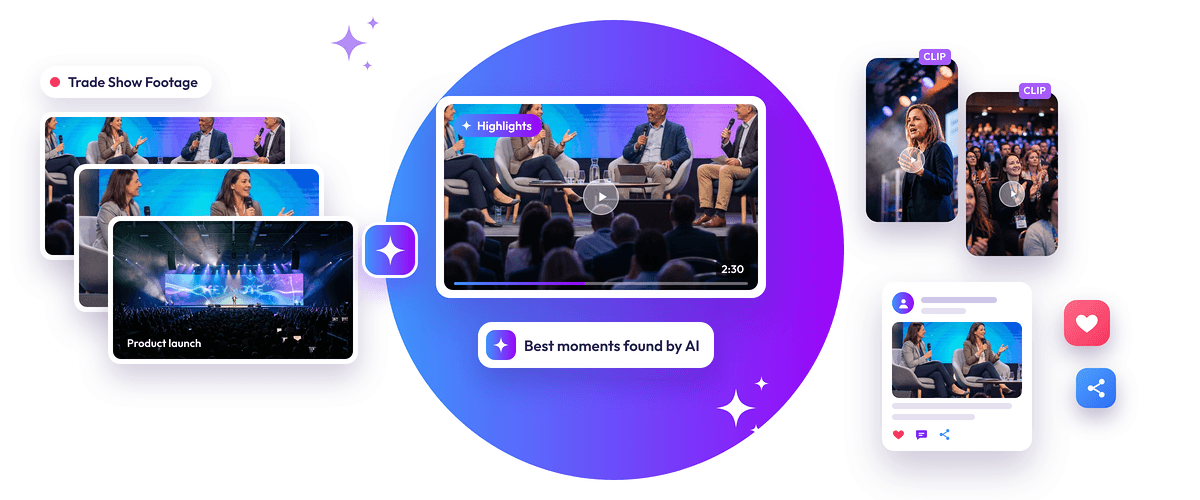
- Trade show recordings can be repurposed into short videos, speaker highlights, product demonstrations, quotes, and social media content.
- AI-powered video snipping tools such as Snipin AI help identify important moments and generate clips from long recordings.
- Organizers can select relevant clips, publish them on branded microsites, and share them across social media platforms.
- Tracking video performance helps identify which topics and moments generate the most audience engagement.
Introduction
How can you get more marketing value from the videos recorded at a trade show?
Instead of publishing only full-length recordings, organizers can turn them into short highlights, speaker clips, product demonstrations, and social media content.
Trade shows generate hours of valuable footage, including keynote presentations, panel discussions, exhibitor interviews, product launches, and attendee interactions. However, most of these recordings have a limited audience when shared only as full-length videos.
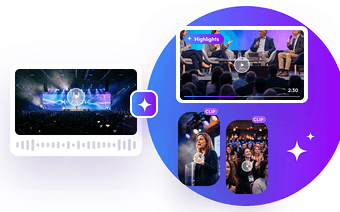
Trade show video highlights make this content easier to discover, watch, and share. With an AI-powered video snipping tool, organizers can identify important moments, extract engaging clips, and create multiple content assets without manually reviewing every recording.
This guide explains how to repurpose trade show videos, create engaging highlights, and use existing footage to support your marketing activities even after the event ends.
What Types of Trade Show Videos Can Be Repurposed?
Every trade show recording holds multiple content opportunities. From expert insights and product demonstrations to attendee experiences, the right moments can be transformed into engaging highlights that keep your event relevant long after it ends.
Almost any recording that contains useful information, interesting moments, or audience interactions can become reusable marketing content. The most valuable trade show video highlights include:
- Keynote speeches: Extract expert insights, industry predictions, important announcements, and memorable statements.
- Panel discussions: Turn detailed conversations into short clips featuring different perspectives on industry topics.
- Product demonstrations: Create videos showing product features, new launches, and practical use cases.
- Exhibitor interviews: Highlight exhibitor experiences, product innovations, and business announcements.
- Attendee testimonials: Share participant feedback and experiences to build credibility for future events.
- Behind-the-scenes footage: Show event preparation, venue activities, networking, and memorable moments.
Selecting the right source footage is the first step towards creating useful trade show video content.
How to Turn Trade Show Videos Into Highlights and Short Clips
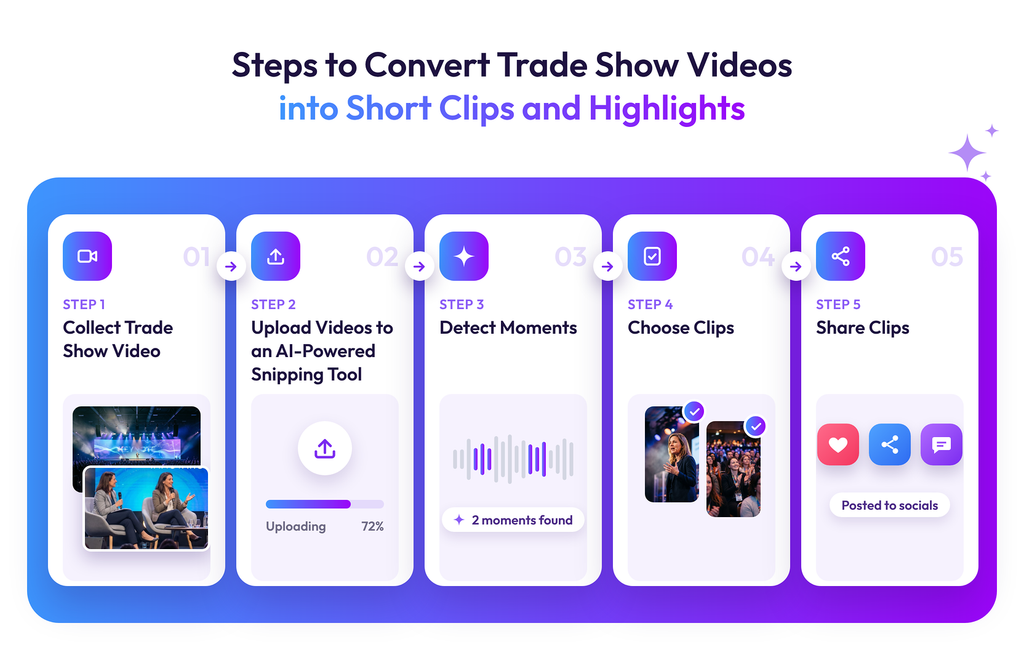
You can convert long recordings into multiple trade show video highlights through a simple five-step process. AI-powered video snipping tools make this process faster by identifying important moments and generating clips automatically.
Step 1. Collect Your Trade Show Video Footage
The first step of generating trade show video highlights is gathering recordings from different activities throughout the trade show. These may include keynote sessions, product demonstrations, panel discussions, interviews, and networking activities. If you have multiple recordings, organize them by session, speaker, exhibitor, or topic. This makes it easier to locate relevant footage when creating specific highlights.
Prioritize videos with clear audio, visible speakers, and useful information. Good-quality source footage helps produce more engaging and shareable clips.
Step 2. Upload Videos to an AI-Powered Snipping Tool
Once your recordings are organized, upload them to an AI-powered video snipping tool.
These tools are designed to process long recordings and identify sections that can work as independent content pieces. Instead of manually watching hours of footage and marking timestamps, organizers can use AI to speed up the initial review and editing process.
For example, a 60-minute keynote recording may contain several useful insights that can become individual short videos.
Step 3. Let AI Detect Highlight-Worthy Moments
After uploading the recording, AI analyzes the video to identify important sections and potential trade show video highlights.
Depending on the tool’s capabilities, it can generate:
- Video highlights: Important moments from presentations, discussions, and demonstrations.
- Short video clips: Focused segments that can be shared independently.
- Summaries: Concise overviews of the main topics and discussions.
- Speaker quotes: Memorable statements and valuable insights that can be reused in other content formats.
This is where an AI trade show video workflow becomes particularly useful. It reduces the time spent searching through long recordings and helps organizers discover content they might otherwise overlook.
However, AI-generated results should still be reviewed to ensure the clips preserve the speaker’s original meaning and provide sufficient context.
Step 4. Choose the Most Suitable Clips
AI can generate multiple potential highlights, but not every clip will be relevant to your marketing objectives. Review the suggested clips and select those that offer clear value to your intended audience.
Consider these factors when choosing trade show video clips:
- Relevance: Does the clip cover a topic your target audience cares about?
- Clarity: Can viewers understand the message without watching the full recording?
- Engagement: Does it contain an interesting insight, demonstration, or memorable moment?
- Length: Is the clip concise enough for its intended platform?
- Context: Does it communicate the speaker’s message accurately?
You can also prioritize clips featuring new product announcements, expert opinions, industry trends, and practical business insights.
Step 5. Share and Track Your Video Performance
Once you have selected and finalized your clips, export them for distribution.
You can publish the videos on a branded microsite to create a central destination for trade show highlights, speaker sessions, product demonstrations, and event recaps. This gives attendees and people who missed the event an easy way to explore the content.
You can also distribute clips through LinkedIn, Instagram, YouTube, and other relevant channels. According to a report, one long recording can be sliced into multiple clips to stay visible across different social apps without filming from scratch every time.
Track performance across platforms using metrics such as:
- Video views and reach
- Average watch time
- Audience retention
- Likes, comments, and shares
- Click-throughs to your website or microsite
These insights help identify which topics and video formats resonate with viewers. Organizers can use this information to improve future trade show social media content and make better decisions about video production.
Best Practices for Creating Engaging Trade Show Video Highlights
Creating trade show video highlights is only part of the process. Their presentation, relevance, and quality also influence whether people watch and share them.
Here are some practices to follow:
1. Start with an interesting moment: Open with a strong statement, important insight, product feature, or question that gives viewers a reason to continue watching.
2. Add subtitles: Captions make videos easier to follow, particularly for people watching without sound.
3. Maintain consistent branding: Include your event logo, brand colors, and relevant speaker or exhibitor details where appropriate.
4. Adapt clips to platform requirements: Use suitable aspect ratios, dimensions, and video lengths for the platforms where you plan to publish.
5. Preserve the original context: Avoid editing statements in ways that change their meaning. Keep enough context for viewers to understand the message.
6. Include a relevant CTA: Encourage viewers to explore the full session, visit the event microsite, learn about a product, or register for the next event.
Read More: Turn 1 Event Recording into 100+ Content Pieces Using AI
Final Words:-
Trade show recording can continue generating marketing value long after the event ends. By turning long sessions, interviews, and product demonstrations into trade show video highlights, organizers can create a steady supply of useful content without recording everything again. AI-powered video snipping tools make this process more efficient by identifying important moments, generating short clips, and simplifying content selection. With the right editing, distribution, and performance tracking strategy, trade show content repurposing can help organizers extend audience reach, promote exhibitor innovations, and maintain engagement between events.
Frequently Asked Questions
1. How do you create highlights from trade show videos?
Collect your event recordings, upload them to an AI-powered snipping tool, review the automatically generated highlights, select relevant clips, and export them for distribution.
2. How do you repurpose trade show videos?
You can turn keynote sessions into short insight videos, panel discussions into expert clips, product demonstrations into promotional videos, and attendee interviews into testimonials.
3. What should you post on social media after a trade show?
Share speaker highlights, product launches, exhibitor interviews, attendee testimonials, event recaps, industry insights, and behind-the-scenes moments.
4. Can AI automatically create trade show video clips?
Yes. AI-powered video tools such as Snipin AI can analyze long recordings, identify important moments, generate summaries and quotes, and create short video clips. Reviewing the output before publishing is still recommended.

 Raghav • January 28, 2026 • 7 min read
 Himanshi Sharma • November 18, 2026 • 12 min read