 Himanshi Sharma
TL;DR
- Conference recordings contain valuable information, including keynote speeches, expert opinions, panel discussions, and audience questions.
- AI can help teams review long recordings, find useful moments, generate summaries, and create shorter videos.
- Organizers can turn existing footage into speaker highlights, educational videos, panel clips, and social media content.
- Human review is still necessary to check video quality, captions, speaker permissions, and the accuracy of the original message.
- A well-planned approach to conference video highlights helps event teams get more value from recordings after the event ends.
Introduction
Conferences generate hours of useful video content, from keynote speeches and expert opinions to panel discussions and audience questions. But what happens to all that footage after the event? Often, it sits in a recording folder while the valuable information inside it reaches very few people.
There is a good reason to think beyond full-length recordings. According to the UK communications regulator Ofcom’s Adults’ Media Use and Attitudes Report 2024, 91% of adult internet users watched or uploaded content on video-sharing platforms in 2023. This shows how widely video-sharing platforms are used, making them relevant channels for distributing useful content beyond the original event.
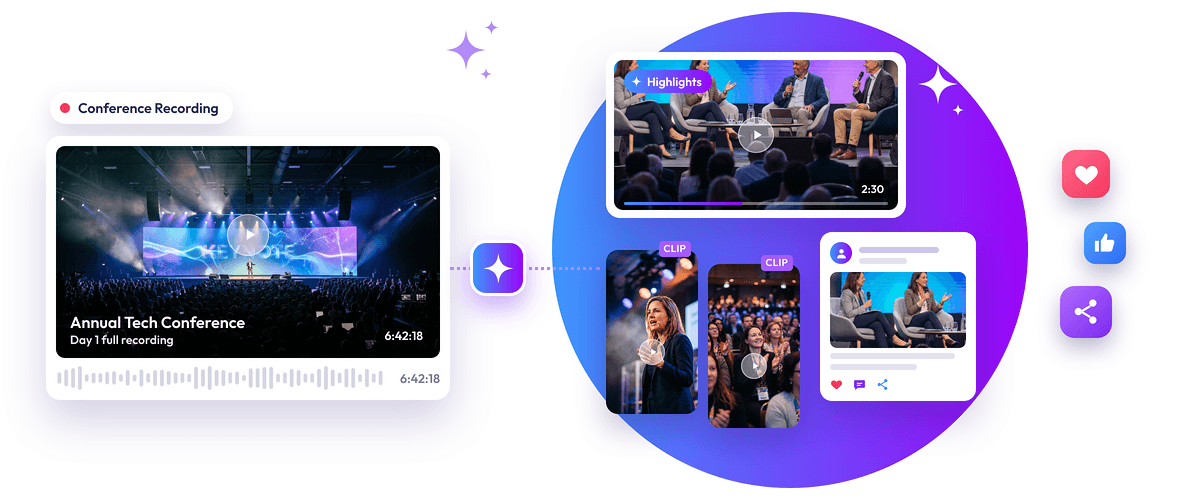
For conference organizers, this creates an opportunity to give recorded sessions a longer life. Instead of asking audiences to watch an entire presentation to find one useful insight, teams can turn key moments into short videos, speaker highlights, and social media clips. These conference video highlights make valuable information easier to discover and share.
AI makes this process easier by helping teams review recordings, identify important discussions, generate summaries, and create shorter videos. Let’s look at how you can turn conference recordings into engaging content without starting from scratch.
Why Conference Recordings Are Worth Repurposing
Recording a conference takes planning, equipment, and resources. It makes sense to get more use out of that footage instead of treating it as something people can watch only after the event.
For example, a 60-minute keynote might contain several useful discussions. One section could explain an industry problem, another could share a practical solution, and another could answer a question from the audience.
Each moment can serve a different purpose.
Here are some opportunities worth exploring:
- Keynote speeches: Share important announcements, expert opinions, and predictions that matter to your industry.
- Panel discussions: Highlight interesting conversations, different viewpoints, and useful answers from panelists.
- Product presentations: Share product demonstrations, new developments, and explanations from speakers.
- Audience questions: Turn relevant questions and answers into short educational videos.
- Expert recommendations: Share practical advice that viewers can understand and use.
These conference video highlights can help people who attended revisit important discussions. They can also introduce the event’s ideas to people who couldn’t attend.
How to Turn Conference Recordings Into Highlights and Short Videos Using AI
Creating conference video highlights involves more than cutting a long video into smaller pieces. Each clip should have a clear message, include enough context, and make sense on its own.
An AI conference video editor can support several parts of this process, depending on the tool and its available features. Here is a practical workflow to follow.
1. Organize Your Conference Recordings
Start by collecting the recordings you want to use. If your conference includes multiple sessions, organize the files by speaker, session title, topic, or event day.
Before uploading them to an editing tool, check:
- Check that the video and audio play without any issues.
- Make sure the speaker is clearly visible and easy to hear.
- Confirm that the session titles and speaker details are correct.
- Verify that you have the necessary permission to use the footage.
Good-quality recordings make editing easier. If the audio is unclear or the camera misses important visuals, those issues may affect the final video.
2. Review the Recordings and Find Important Moments
The next step is to identify sections that offer something useful to viewers. Manually reviewing every recording can take considerable time, especially when a conference has several sessions.
AI tools can help analyze recorded content and suggest moments based on the discussion, speaker statements, and other signals supported by the tool. This gives editors a starting point instead of requiring them to search through the entire timeline.
Look for moments that:
- Explain an important idea clearly.
- Offer a practical recommendation.
- Answer a common question.
- Share a relevant announcement or finding.
- Present an interesting point of view.
A suggested highlight is not automatically a good clip. Review it before moving forward and check whether it communicates something worth sharing.
3. Generate Transcripts and Session Summaries
A transcript turns spoken words into written text. It helps editors find specific statements without repeatedly watching the entire recording.
AI can also create short summaries that explain the main points covered during a session. This type of conference video summarization can make it easier to understand lengthy presentations and locate discussions worth reviewing.
These tools can help you:
- Find specific topics and statements.
- Understand the main points of a presentation.
- Locate important questions and answers.
- Identify sections that deserve a closer look.
- Prepare short descriptions of recorded sessions.
For example, if a speaker discusses customer experience during a 60-minute presentation, a transcript can help you find the relevant discussion more quickly.
AI-generated transcripts and summaries still need checking. Speaker names, industry terms, numbers, and technical expressions can sometimes be incorrect.
4. Choose Moments That Work as Standalone Videos
Not every interesting statement will make a good short video. A useful clip should communicate one complete idea without making viewers watch the entire presentation to understand it.
Before selecting a moment, ask:
- Does it explain something useful?
- Can viewers understand it without the full presentation?
- Does it answer a common question?
- Is it relevant to the intended audience?
- Does the speaker complete the thought?
An AI conference video editor can suggest sections based on the recording, but your team should decide which moments are worth sharing.
For example, a speaker explaining how businesses can improve customer service might offer a useful standalone video if the clip includes enough information to make the advice clear.
5. Extract and Edit Short Video Clips
Once you’ve selected the moments, extract them from the original recording.
The purpose of turning a conference recording to short clips is to make useful information easier to watch and share. Don’t simply cut a random 30 seconds from a presentation. Make sure the selected section has a clear beginning, a complete explanation, and a natural ending.
Follow these basic steps:
- Note the starting and ending timestamps.
- Extract the selected section.
- Remove unnecessary pauses or unrelated footage.
- Keep enough context to explain the speaker’s message.
- Save each video with a descriptive name.
A 60-minute panel discussion, for example, might contain separate discussions about technology, customer expectations, and business growth. Each topic can become its own video.
For a closer look at the tools available for creating short videos, explore our guide to AI tools for short video clips.
6. Add Captions and Adjust the Video Format
After extracting the footage, prepare it for viewers.
Captions make it easier to follow a video, especially when people watch social media content without sound. They also help viewers understand speakers when the audio is difficult to hear.
During editing, focus on:
- Adding accurate subtitles.
- Keeping the speaker visible.
- Removing unnecessary pauses.
- Maintaining clear audio.
- Adding a suitable opening title.
- Using consistent branding where appropriate.
If you want to simplify these editing tasks, explore Snipin AI’s video platform, which offers tools for creating and managing video content from recorded sessions. An AI conference video editor can help with repetitive editing tasks, but someone should still check the captions, framing, and final output.
7. Review the Final Videos Before Publishing
Never assume an AI-generated clip is ready to publish without checking it.
A short video might look fine but still leave out an important part of the discussion. For example, a speaker may explain a business challenge and then mention an exception. Removing that second part could change the original meaning.
Watch the complete video and check the following:
- Is the speaker’s message accurate?
- Are the captions correct?
- Does the video start and end naturally?
- Is the audio clear?
- Are there any private details that should not be shared?
- Do you have the necessary permissions?
This final review helps maintain the quality and accuracy of your content. It also ensures that every conference video clip represents the original discussion fairly.
8. Prepare Videos for Different Social Media Platforms
The same recording may need different edits depending on where you want to publish it.
A landscape video that works well on YouTube may not look right as a vertical Instagram Reel. Check the current requirements of each platform before exporting.
For example, you might prepare:
- Vertical videos for Instagram Reels and YouTube Shorts.
- Landscape videos for longer YouTube highlights.
- Short, captioned videos for LinkedIn feeds.
The goal is to make each video comfortable to watch without cutting out important information.
What Types of Content Can You Create From Conference Recordings?
Once you’ve selected the best moments, think about how to present them. Different parts of a conference can serve different content needs.
Here are some formats you can create:
| Content format | What you can include | Why it is useful |
| Keynote highlights | Important statements and announcements | Shares major event takeaways |
| Speaker insight videos | Expert opinions and recommendations | Helps audiences learn from industry professionals |
| Panel discussion clips | Interesting exchanges and answers | Highlights different viewpoints |
| Industry trend videos | Predictions and new developments | Keeps audiences informed |
| Educational videos | Practical advice and explanations | Makes complex topics easier to understand |
| Speaker quote videos | Memorable statements with context | Highlights useful expert opinions |
| Event recap videos | Important moments from multiple sessions | Gives viewers an overview of the event |
For example, a panel about the future of artificial intelligence might give you three different videos: one about business applications, another about industry challenges, and a third about upcoming developments.
Similarly, a keynote presentation can become a conference highlights video featuring its most important messages rather than showing the entire speech. These conference video highlights give audiences a quick way to revisit key insights without watching the full presentation.
The important thing is to give every video a clear purpose. Avoid publishing several clips that repeat the same information. This approach also makes conference content repurposing more useful because every asset offers something different to the audience.
Best Practices for Creating Engaging Conference Videos
Finding useful moments is only one part of the job. You also need to present them in a way that people can understand and enjoy watching.
Keep these practices in mind:
- Focus on one idea: Each video should communicate one main message. Avoid combining unrelated statements.
- Start with an interesting moment: Open with a useful question, strong statement, or relevant insight instead of a long introduction.
- Keep the speaker’s meaning intact: Don’t remove sentences in a way that changes the original message.
- Use readable captions: Check spelling, timing, and placement before publishing.
- Choose the right framing: Make sure speakers and important presentation visuals remain visible after resizing.
- Maintain consistent branding: Use suitable logos, colors, and titles across related videos.
- Check the final edit: Watch the complete video to catch mistakes before sharing it.
- Get the necessary permissions: Confirm that speakers and other rights holders have approved the recording’s use.
An AI conference video editor can help reduce repetitive work, but it cannot replace editorial judgment. Your team should make sure every clip represents the speaker and the event accurately.
Where to Share Your Repurposed Conference Videos
After editing, decide where each video should be published. Different platforms attract different audiences, so the same footage may need a slightly different presentation.
| Platform | Suitable conference content | What to keep in mind |
| Professional insights, expert opinions, panel discussions, and industry updates | Focus on useful takeaways that encourage professional conversations | |
| Speaker highlights, interesting event moments, and short recaps | Use engaging visuals and captions that are easy to read | |
| YouTube Shorts | Expert advice, interesting statements, and answers to common questions | Keep the video focused on one clear idea |
| YouTube | Longer keynote highlights, session recordings, panel discussions, and event recaps | Use longer formats when viewers need more context |
For example, a 40-second speaker clip might work well on LinkedIn and Instagram, while a longer presentation excerpt may be more suitable for YouTube.
You can also turn conference video clips into a series instead of publishing everything at once. This gives audiences more opportunities to discover useful information from the event.
How Snipin AI Can Help With Conference Video Repurposing
Reviewing hours of conference footage and selecting useful moments can create a lot of work for event and marketing teams. Snipin AI offers an AI-powered solution designed to help simplify this process.
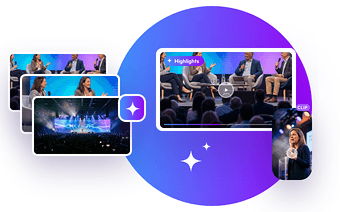
Its AI conference video clipping solution helps identify key insights, speaker highlights, memorable moments, and shareable clips from recorded sessions.
According to its official product page, the platform also supports:
- Generating video highlights and session summaries.
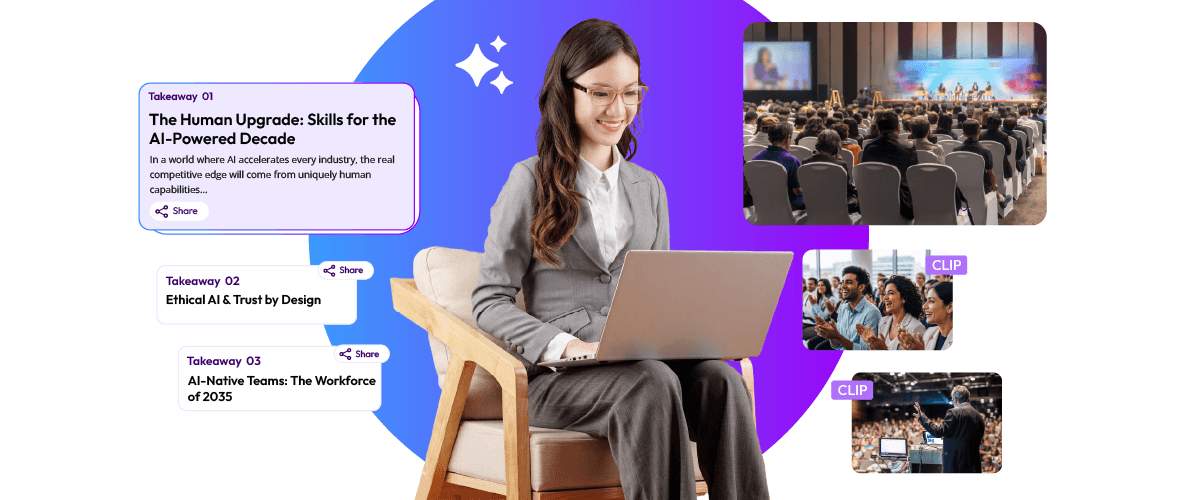
- Creating key takeaways from recorded content.
- Sharing clips through a content hub and microsite.
- Exporting video content for platforms such as Instagram, LinkedIn, and X.
- Reviewing audience engagement through built-in analytics.
These capabilities can help teams manage conference content repurposing without treating every recording as a separate editing project.
The platform can also help make conference video summarization and content sharing part of a more organized post-event workflow. Teams should still review the generated material before publishing it.
For more ideas on using recorded event footage, explore our guide on turning one event recording into multiple content pieces using AI.
Give Your Conference Recordings a Longer Life!
A conference doesn’t have to stop creating value when the last session ends. Its recordings can continue sharing expert knowledge, useful discussions, and important takeaways with people who attended and those who missed it.
With AI-assisted editing, event teams can find meaningful moments without manually reviewing every minute of footage. They can create conference video highlights, speaker insights, educational videos, and social media content from recordings they already have.
The key is to choose useful moments, preserve the speaker’s original message, and prepare each video for its intended audience. A thoughtful approach to conference content repurposing helps teams make better use of their existing footage and keeps important conversations going after the event.
Frequently Asked Questions
How do you create highlights from a conference recording?
Review the recording, select important moments, and edit them into short conference video highlights that share useful information.
What should you include in a conference highlight video?
Include keynote moments, expert insights, panel discussions, important announcements, and memorable audience interactions. A good conference highlights video should give viewers a clear idea of what made the event valuable.
How do you turn a conference video into short clips?
Find relevant timestamps, extract the footage, add captions, and edit each clip around one clear message. This is the basic process for turning conference recordings into short clips.
How can AI repurpose conference videos?
AI helps with transcription, conference video summarization, identifying key moments, extracting clips, and generating captions.

 Mohi • January 21, 2026 • 9 min read
 Arun • November 20, 2026 • 7 min read