 Himanshi Sharma
TL;DR
An AI video summarizer helps turn long videos into short, easy-to-read summaries. It picks out the main discussions, useful insights, and important points, so users don’t have to watch the entire recording to understand what was discussed. It can be useful for event recordings, webinars, meetings, podcasts, and educational videos. With Snipin.ai, event teams can also turn recordings into short video clips, session summaries, and key takeaways, making it easier to share and reuse content even after the event.
Introduction
A one-hour webinar may contain just a few minutes of information someone actually needs. A conference recording might have an important industry insight buried in the middle of a panel discussion. Similarly, finding one decision in a recorded business meeting can mean replaying a large part of the conversation.
The challenge is not always finding useful video content. It is finding the time to go through it.
According to the Digital 2026 Global Overview Report, published in October 2025, 42.6% of internet users in India aged 16 and above watch how-to, tutorial, or educational videos every week. The finding highlights the role of video in learning and accessing information, making it increasingly important to organize and revisit useful video content efficiently.
This is where an AI video summarizer becomes useful. It analyzes lengthy recordings, identifies important discussions, and turns them into concise summaries that are easier to read, understand, and share.
But how does this technology work? Can it summarize a two-hour conference recording? And how can professionals use it in their everyday workflows?
Let’s find out.
What Is an AI Video Summarizer?
An AI video summarizer is a technology that analyzes video content and creates a shorter written version of its most important information.
Instead of watching an entire recording and manually noting every useful point, users can process the video through AI and receive a summary covering its main topics, important discussions, insights, and takeaways.
For example, imagine a 90-minute business webinar discussing digital marketing, customer behaviour, and changing industry trends. Instead of reviewing the complete recording, users can use a webinar video summarizer to get a concise overview of the major discussions, key insights, and expert recommendations.
The idea is simple: make the information inside lengthy videos easier to access, understand, and revisit without losing the central message.
How AI Video Summarization Is Different from Manual Summarization
Manual summarization requires someone to watch the recording, identify important moments, take notes, and organize the information. AI automates much of this initial work by processing the recording and extracting relevant information.
| Manual summarization | AI-powered summarization |
| Requires watching the complete recording | Processes the recording automatically |
| Depends on individual note-taking | Extracts information from processed content |
| Can take considerable review time | Reduces repetitive reviewing |
| Notes depend on the person reviewing | Provides a structured output |
| Requires manually locating discussions | May provide timestamps for relevant sections |
AI does not replace human understanding. It gives users a starting point, allowing them to spend less time searching and more time reviewing and using the information.
What Does an AI-Generated Video Summary Include?
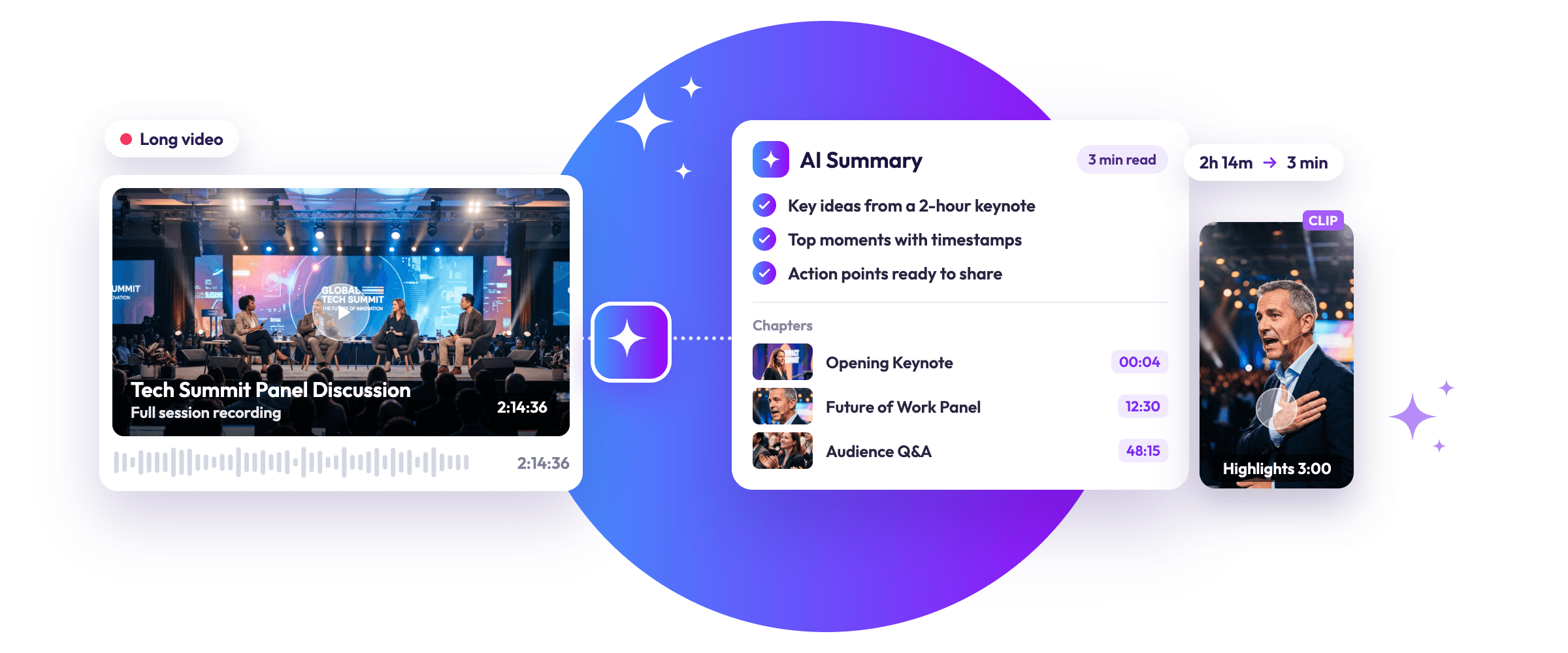
Depending on the platform, a generated summary may contain:
- Main topics: Subjects discussed throughout the recording.
- Important insights: Useful observations, statements, and explanations.
- Key takeaways: The most relevant points to remember.
- Speaker contributions: Notable opinions and recommendations.
- Decisions and action items: Responsibilities and next steps, where applicable.
- Timestamps: References that help users revisit specific sections, if supported.
The output can be a short overview, detailed notes, or a topic-wise breakdown. Its format depends on the platform and the user’s requirements.
How Does the AI Video Summarizer Work?
Video summarization involves multiple stages that help AI turn lengthy recordings into readable information. Although the exact process varies between platforms, the general workflow includes the following steps.
1. Uploading and Processing the Video
The process begins when users upload a recording in a supported format.
The system prepares the video for analysis by processing its audio and, where relevant, visual information. Depending on the technology, it may also identify speakers and organise the recording into different sections.
2. Converting Speech into Text
Most spoken-video summarization workflows use automatic speech recognition (ASR) to convert spoken words into written text.
For example, Google Cloud Speech-to-Text explains how speech recognition technology processes audio and returns text transcriptions.
This gives AI a written version of the conversation that it can analyse further. It is particularly useful for webinars, meetings, interviews, and presentations where most of the important information is communicated through speech.
3. Identifying Important Topics and Discussions
Once the transcript is available, natural language processing (NLP) helps the system understand the conversation.
It can identify recurring subjects, related statements, questions, and changes in discussion.
For example, consider a webinar covering digital marketing, customer retention, and brand communication. AI can recognise these as separate discussion areas and organise relevant information under each topic.
4. Extracting Key Information
Not every sentence in a recording carries the same importance.
AI analyses the processed information to identify meaningful explanations, recommendations, decisions, and supporting details. It can also recognise repeated ideas and reduce unnecessary repetition in the final output.
For instance, if three speakers discuss similar industry challenges during a panel session, the summary can bring their related observations together while retaining the main message.
5. Generating a Concise Video Summary
After identifying relevant information, the system organises it into a readable format.
Depending on the available features, users may receive:
- A short overview of the complete recording.
- Topic-wise summaries.
- Important discussion points.
- Key insights and recommendations.
- Action items and decisions.
The purpose is to make the original discussion easier to understand, not simply shorten the transcript.
6. Reviewing and Using the Summary
The final step involves checking the generated information.
Users should verify important names, figures, technical terms, quotations, and decisions against the original recording. This is particularly important when the summary will be used for business documentation, event reporting, or external communication.
What Can You Summarize with Our AI Video Summarizer?
Long recordings are part of several professional and personal workflows. Each type of video contains different information, making summarization useful for different purposes.
Event Recordings and Conferences
Conferences generate hours of keynote speeches, panel discussions, presentations, and speaker sessions. Finding the most valuable insights across all these recordings can become difficult for event teams.
An AI video summarizer for event recordings can help organizers identify major announcements, speaker insights, industry observations, and session takeaways.
For example, after a technology conference, the marketing team could prepare session-wise summaries covering emerging trends, expert recommendations, and important product discussions.
These insights can also support repurposing event recordings with AI, helping teams identify useful information for post-event communication and content creation.
Webinars and Online Sessions
Webinars often combine presentations, expert opinions, demonstrations, and audience questions.
Summaries help participants revisit the main learning points without replaying the entire session. Hosts can also use the extracted information to prepare follow-up emails, session recaps, and educational resources.
Business Meetings and Team Discussions
Meeting recordings contain project updates, decisions, responsibilities, and discussions about upcoming work.
A summary can help employees understand what happened during a meeting, even if they could not attend. It can also make it easier for teams to revisit important decisions without searching through the entire recording.
Video Podcasts and Interviews
Podcasts and interviews contain interesting opinions, expert recommendations, and detailed conversations that may be spread across lengthy episodes.
Summarization helps creators identify major discussion themes and memorable insights. These findings can also support AI-powered podcast clipping for content creation, where selected discussions are turned into shorter video segments.
Educational and Training Videos
Students and professionals often use recorded lessons, tutorials, and training sessions to understand new concepts.
A summary can bring together definitions, important explanations, and revision points. It also gives learners a convenient way to revisit difficult topics without searching through an entire recording.
Product Demonstrations and Tutorials
Product demonstrations usually include instructions, feature explanations, and practical examples.
Summaries can organise the main steps and important product information, making it easier for viewers to revisit instructions and understand how a particular feature works.
Why Use Our AI Video Summarizer?
The biggest advantage of video summarization is not simply producing shorter content. It is making the information inside lengthy recordings easier to access and use.
Save Time Without Missing Important Information
Reviewing several hours of recordings can become difficult, especially when teams manage multiple sessions.
An AI video summarizer tool provides a starting point by presenting the main discussion points in a shorter format. Users can then revisit the original recording only when additional context is required.
Make Long Information Easier to Understand
A lengthy discussion can contain several related ideas, examples, and explanations. A well-organised summary brings these elements together in a more manageable format.
This is particularly helpful when reviewing technical presentations, detailed webinars, and information-heavy interviews.
Improve Content Accessibility and Knowledge Sharing
Not everyone can attend a live meeting, webinar, or conference.
Sharing a written summary gives absent participants a convenient way to understand what happened. It also makes important information easier to circulate across teams and departments.
Simplify Research and Information Retrieval
Researchers, professionals, and content teams regularly work with multiple recordings.
Instead of repeatedly searching through long videos, they can use summaries to locate relevant topics and decide which recordings deserve a closer review.
Support Faster Content Repurposing
A summary can provide a useful starting point for other content formats.
Content teams can identify ideas for:
- Blog outlines and articles.
- Social media posts.
- Email newsletters.
- Speaker quotes.
- Educational resources.
- Short-form video content.
Once useful moments have been identified, teams can select relevant sections for editing. This makes it easier to extract short clips from long event videos using AI without repeatedly reviewing the entire recording.
Improve Post-Event Content Management
An AI video summarizer for event recordings can help organizers document important sessions and make recorded information available after the event.
Instead of keeping recordings as isolated video files, teams can organise session summaries and key takeaways for future reference.
Who Can Benefit from the AI Video Summarizer?
Video summarization is useful for individuals and professional teams that regularly work with lengthy recordings.
Event Organizers and Event Marketing Teams
Event teams can review conference sessions, document speaker insights, and prepare post-event recaps. An AI video summarizer for event content can also help them identify information worth sharing with attendees and people who missed the sessions.
Content Creators and Marketers
Creators can use a podcast video summarizer to extract valuable insights, key discussions, and useful ideas from podcasts, interviews, and webinars. These summaries make it easier to plan articles, social media posts, and other content formats without reviewing entire recordings.
Businesses and Corporate Teams
Businesses can review recorded meetings, internal discussions, presentations, and employee training sessions without repeatedly watching complete recordings.
Educators and Students
Teachers can prepare learning material from recorded lessons, while students can create concise notes and revisit important concepts during revision.
Researchers and Professionals
Researchers and industry professionals can review interviews, expert discussions, and information-heavy presentations to locate relevant findings more efficiently.
The common benefit is straightforward: people can spend less time searching through recordings and more time using the information they contain.
How to Get Better Results from AI Video Summarization
The quality of the original recording and the way users approach the process can influence the usefulness of the final summary.
Start with a Clear and Good-Quality Recording
Clear audio helps speech recognition systems identify spoken words more accurately.
Where possible:
- Use recordings with minimal background noise.
- Check that speakers are audible.
- Avoid unnecessary interruptions.
- Ensure the video format is supported.
Choose the Right Summary Format
Think about what you want to achieve before processing a video.
A student may need topic-wise learning notes, while a business team may require decisions and action points. An event organiser may prefer session summaries and important speaker takeaways.
The output should match the purpose of the recording.
Review Important Information
AI-generated content can contain incorrect words, missing context, or misunderstood statements.
The NIST Generative AI Risk Management Profile identifies confabulation, where generative AI produces confidently presented but incorrect information, as an important risk.
Therefore, verify important details before relying on a generated summary.
Use Summaries According to Their Purpose
A summary prepared for internal meeting documentation may need a different structure from one intended for a public event recap.
Adjust the level of detail, language, and presentation according to the intended audience.
What to Look for in an AI Video Summarizer Tool
Not every platform offers the same features. Before choosing an AI video summarizer tool, consider the following factors:
| Factor | Why It Matters |
| Video length support | Check whether it can process your typical recording duration. |
| File compatibility | Make sure your video formats are supported. |
| Transcription quality | Accurate speech recognition improves the information available for summarization. |
| Summary quality | Look for clear summaries that retain the original meaning. |
| Language support | Important when recordings include different languages. |
| Customisation | Different summary formats suit different requirements. |
| Timestamps | Useful for revisiting specific discussions. |
| Privacy and security | Check how recordings and generated information are stored and handled. |
| Export and sharing | Makes it easier to use summaries in other workflows. |
Choose a solution based on your actual requirements rather than assuming every platform supports all these capabilities.
Common Mistakes to Avoid When Using AI Video Summarization
Even a useful AI video summarizer tool needs to be used thoughtfully.
Avoid these common mistakes:
- Trusting every generated detail: Verify important information against the original recording.
- Ignoring poor audio quality: Unclear speech can affect transcription and the final summary.
- Removing context: A short statement may have a different meaning when separated from the wider discussion.
- Expecting complete coverage: A summary prioritises important information and may omit minor details.
- Ignoring privacy policies: Check recording storage, access, and data-handling practices before uploading sensitive content.
- Confusing summaries with transcripts: A summary condenses information, while a transcript preserves the spoken conversation in text form.
How Snipin AI Helps Simplify Video Content Workflows
Managing long video recordings doesn’t have to mean spending hours reviewing footage, finding key discussions, and creating content from scratch. With the right AI-powered workflow, teams can make recorded information easier to review and repurpose.
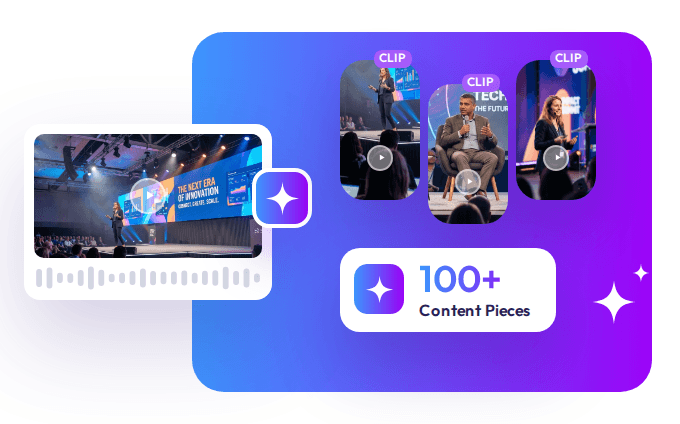
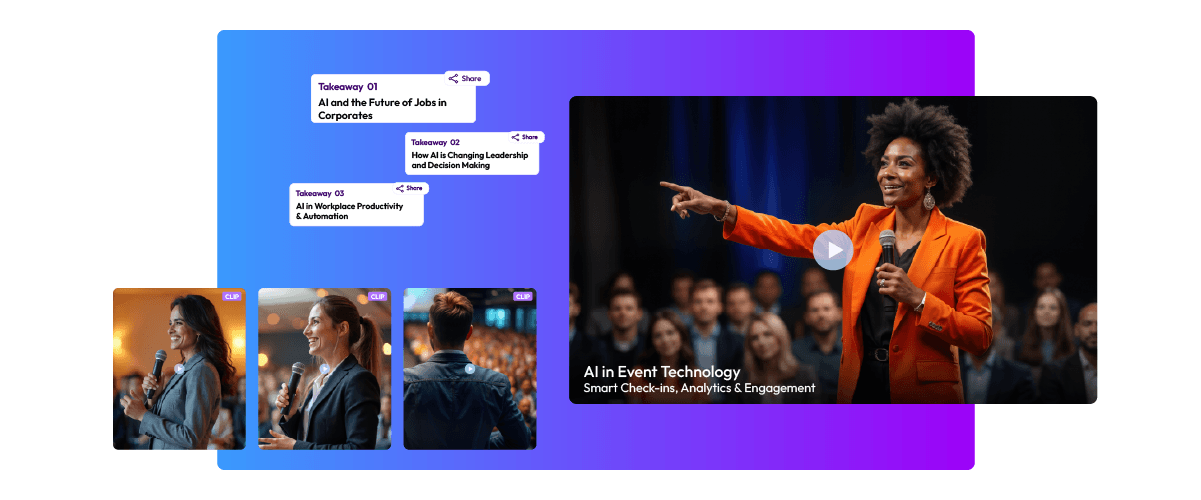
Snipin AI simplifies this process by turning event recordings into short video clips, session summaries, and key takeaways. This allows event organizers and marketing teams to use different parts of a recording for different audiences and purposes.
For example, attendees who missed a session can read its summary, while short clips highlight important speaker moments. Key takeaways also make it easier to share useful insights without requiring people to watch the entire recording.
An AI video summarizer is not just about making videos shorter. It makes the information within them easier to find, understand, and use. Combined with thoughtful content repurposing, it helps teams get more value from every recording.
Frequently Asked Questions
Can AI summarize a long video?
Yes. AI-powered systems can process long recordings, convert speech into text, identify important information, and generate concise summaries. The maximum supported video length depends on the platform.
How accurate are AI-generated video summaries?
Accuracy depends on audio quality, transcription performance, language, and the complexity of the discussion. Important facts, figures, and decisions should always be checked against the original recording.
Can I summarize an event recording using AI?
Yes. An AI video summarizer for event recordings can help extract keynote insights, panel discussions, speaker recommendations, and session takeaways, depending on the tool’s capabilities.
What is the difference between a video transcript and a video summary?
A transcript records the spoken words in a video, whereas a summary condenses the recording into its main topics, insights, and takeaways.

 Arun • February 24, 2026 • 16 min read