 Arun
Arun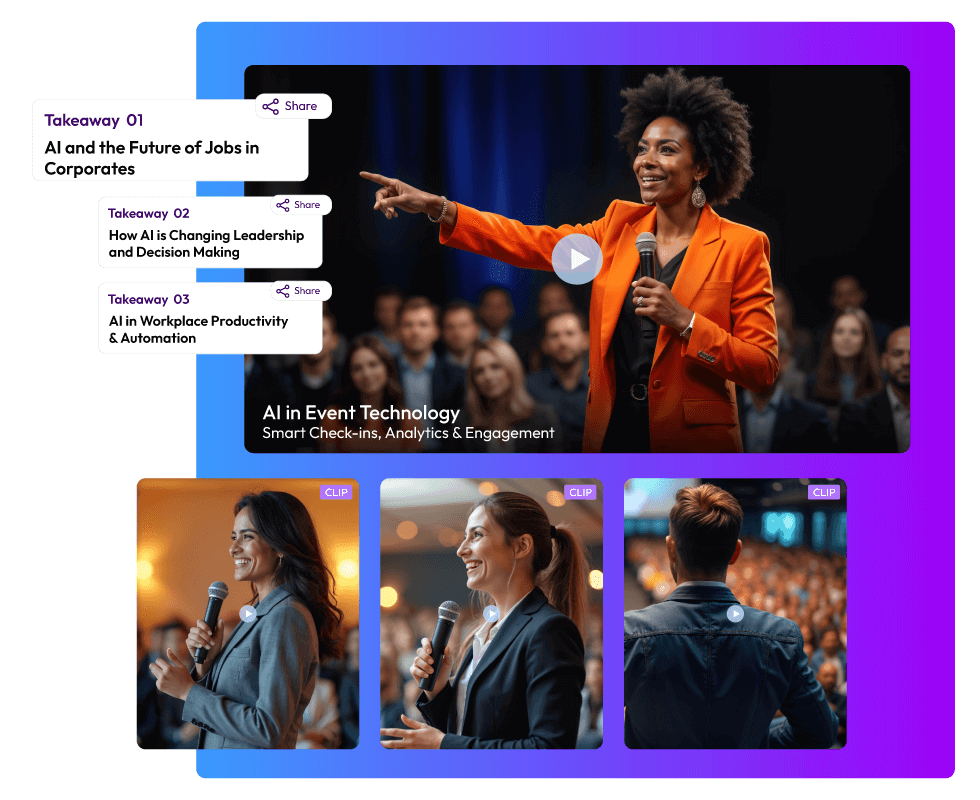
What happens to all those hours of video once an event ends? Conferences, webinars, trade shows, and even internal town halls generate recordings full of insights, announcements, and discussions. Yet, most organizations simply upload the full video online and hope someone will watch it. The reality is that audiences rarely have the patience for two-hour recordings. They want short, clear, and engaging clips that deliver value quickly. This is where AI video repurposing for events becomes essential.
By using AI video clipping tools, marketers can turn event recordings into clips, create event video highlights, and even generate text summaries that capture the essence of the event. Instead of letting valuable content sit unused, AI makes it possible to transform it into bite-sized pieces that are perfect for social media, newsletters, or internal communications. In 2026, this practice is not just a nice addition to a marketing plan. It has become a central part of event content marketing strategies.
91% of businesses use video as a marketing tool, and short-form video is the most effective format for engagement and conversions. This shift toward smarter content use is changing how events are valued, making repurposing a necessity rather than an option. Want to know more about AI video repurposing for events? Keep reading!
What Is AI Video Repurposing?
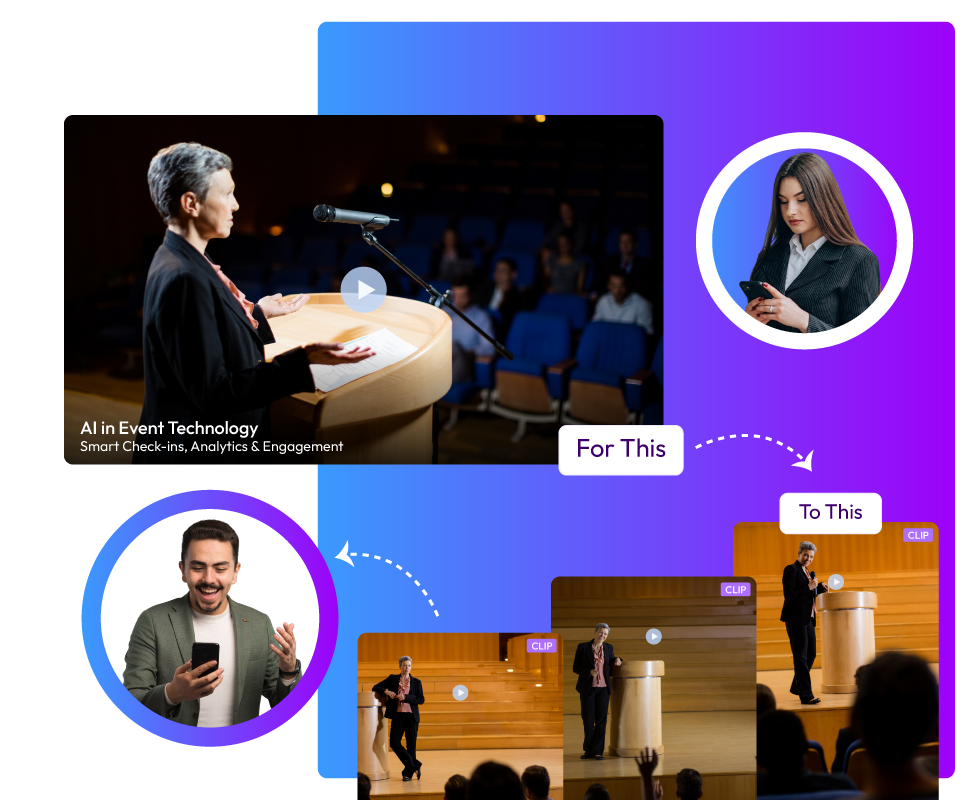
AI video repurposing for events is the process of using artificial intelligence to transform long recordings into smaller, more useful pieces of content. Instead of spending hours manually editing, AI video clipping tools step in to automatically detect important segments, cut them into clips, and even generate summaries.
“Think of it as giving a second life to your event recordings. What was once a two-hour session becomes a set of short, engaging clips.”
This approach changes how event recordings are handled. A long session no longer feels heavy or inaccessible. It becomes a collection of highlights that can be shared, reused, and enjoyed by different audiences.
“AI video summarization ensures that no important detail is lost, while still keeping the content short and easy to consume.”
This matters greatly in 2026. Audiences prefer short, engaging content. Social platforms reward clips that are quick to watch and easy to share. Long recordings often go ignored, but when repurposed into event video highlights, they gain new life. By choosing to turn event recordings into clips, organizations can repurpose webinar content, extend the value of their events, support event content marketing, and keep audiences engaged long after the event has ended.
Difference Between Manual and AI-Powered Event Video Editing
It is true that Manual editing has always been a slow and demanding process. Editors must watch the full recording carefully, mark timestamps, cut sections, and polish them for final use. This can take hours or even days, depending on the length of the event. It requires patience and constant attention, and even the results may vary depending on the skill of the editor.
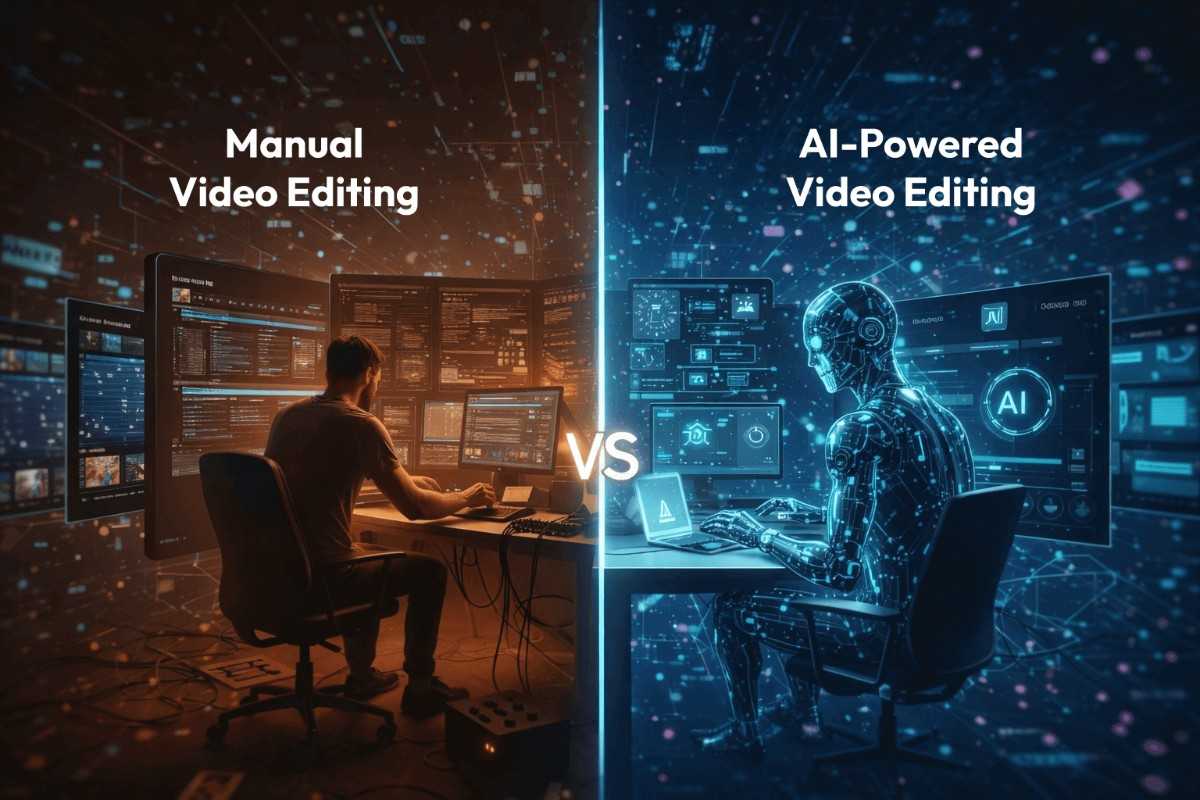
By contrast, AI video clipping tools change the entire workflow. Instead of spending endless time on repetitive tasks, AI analyzes speech, visuals, and transitions in minutes. It automatically detects important segments, identifies key highlights, and prepares clips that are ready to share. The difference is striking. What once felt like a heavy task now becomes smooth and efficient.
This shift is especially important for marketers. When you need to turn event recordings into clips, AI ensures that the process is quick and reliable. It allows teams to focus on strategy rather than spending days cutting video. It also supports event content marketing by producing a steady stream of event video highlights. Whether the goal is to repurpose webinar content or create short clips for social platforms, AI makes the process practical and scalable.
At the same time, AI video summarization ensures that audiences get exactly what they want: quick access to the best parts of an event. Instead of forcing viewers to sit through hours of footage, AI delivers the highlights in a format that is easy to consume and share.
Manual Vs AI-Powered Event Video Editing
The comparison table will help you understand the difference between manual vs ai-powered event video editing.
Factors
- Time Require
- Effort
- Consistency
- Cost
- Output
- Marketing Value
- Flexibility
Manual Event Video Editing
- Hours or days to complete
- High requires watching the entire recording
- Depends on the editor’s skill
- Expensive due to labor
- Limited number of clips
- Slower to support campaigns
- Manual adjustments only
AI-Powered Event Video Editing
- Minutes to generate clips
- Low, automated detection of highlights
- Standardized across all recordings
- Lower cost with automation
- Multiple event video highlights are quickly created
- Immediate support for event content marketing
- Easy to repurpose webinar content and more
Why AI-Generated Short Clips Rule in 2026
Audiences in 2026 consume content in a very different way. It is a fact that the long recordings often feel heavy, and most viewers prefer short clips that deliver value quickly. This change has made AI video repurposing for events a vital practice. Instead of uploading full sessions, organizations now focus on creating event video highlights that are easy to watch and share.
Short clips gain more attention, more engagement, and more reach. The Short Form Video Statistics 2025 report revealed that over 90% of Gen Z and Millennial users regularly watch short-form videos, making repurposed clips essential for reaching younger audiences.
With AI video clipping tools, teams can turn event recordings into clips in minutes. The process is fast, reliable, and consistent, making it possible to keep audiences engaged without the slow pace of manual editing.
AI video summarization also plays a key role. It condenses hours of footage into digestible pieces, ensuring that no important detail is lost. For marketers, this supports event content marketing by providing a steady stream of material. They can repurpose webinar content, conference sessions, or townhalls into highlights that continue to deliver value long after the event has ended.
“Short clips are not just convenient. They are the format audiences expect, and AI makes them possible at scale.”
Without AI, valuable recordings risk being ignored. With AI, every event becomes a source of ongoing engagement.
Why Event Content Needs Repurposing in 2026
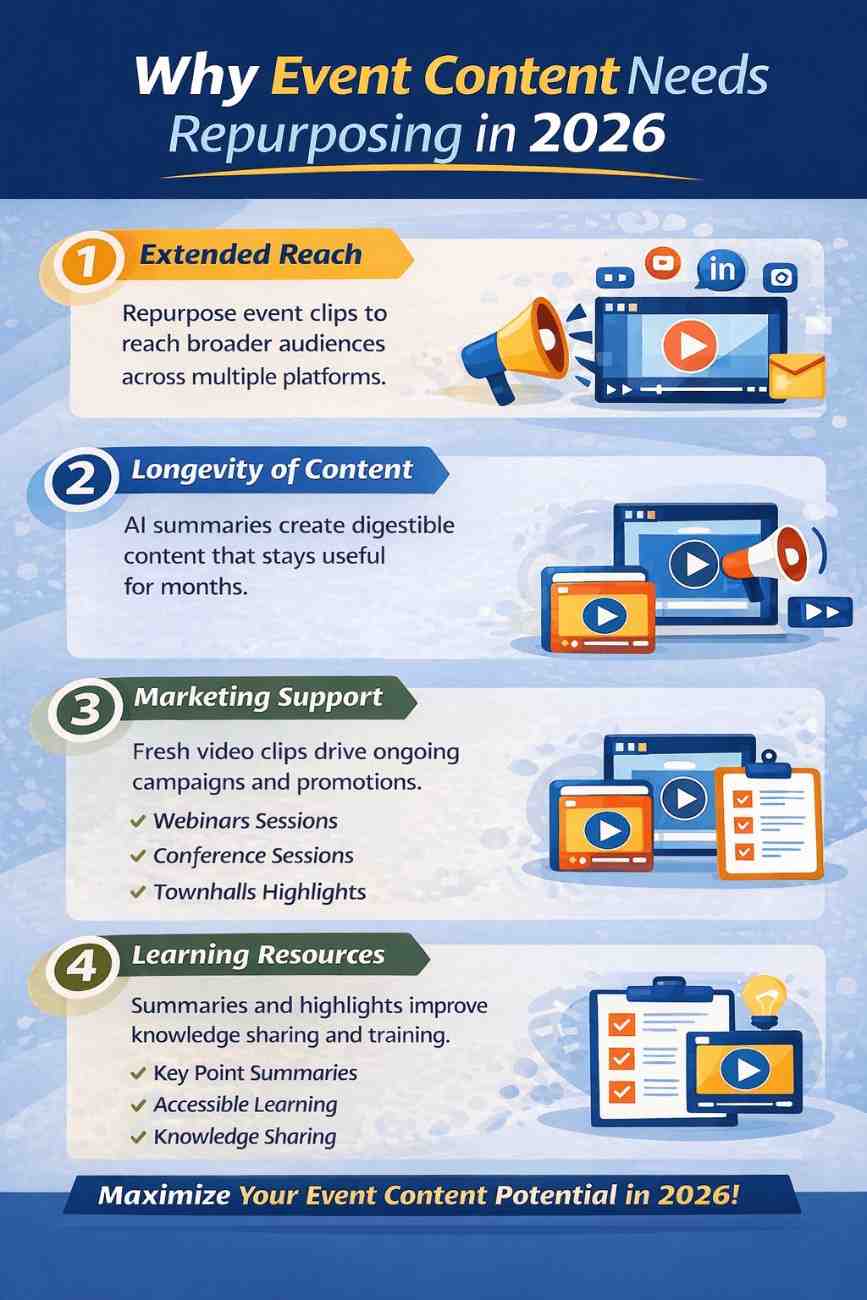
Organizing an event requires significant resources. Speakers, venues, technology, and promotion all demand time and money. When recordings are left unused, much of that investment loses its potential value. Repurposing ensures that the effort continues to deliver benefits long after the event has ended.
1. Extended Reach
By using AI video clipping tools to turn event recordings into clips, organizations can share highlights across multiple platforms. Short clips travel faster, reach more people, and keep audiences engaged. This extended reach allows events to connect with audiences who may never have attended in person, giving the content a wider impact.
2. Longevity of Content
A single event does not need to fade away once it is over. Through AI video summarization, sessions can be condensed into digestible pieces that remain useful for weeks or even months. Repurposed content keeps the conversation alive and ensures that the event continues to deliver value long after the closing remarks.
3. Marketing Support
Fresh clips fuel campaigns and strengthen event content marketing strategies. Marketers can repurpose webinar content, conference sessions, or townhalls into event video highlights that align with ongoing promotions. This steady stream of material helps maintain visibility, supports brand awareness, and keeps audiences engaged with consistent updates.
4. Learning Resources
Repurposing also creates learning opportunities. Summaries help audiences revisit key points without sitting through hours of footage. Knowledge becomes easier to access, share, and apply. Teams can use highlights for training, internal communication, or knowledge sharing, making the event recordings more practical.
Types of Event Content You Can Repurpose
Repurposing is not limited to one type of event. Every format produces recordings that can be transformed into new content. With AI video repurposing for events, organizations can make sure that no valuable moment is wasted. Here are the main types of event content that benefit from repurposing:
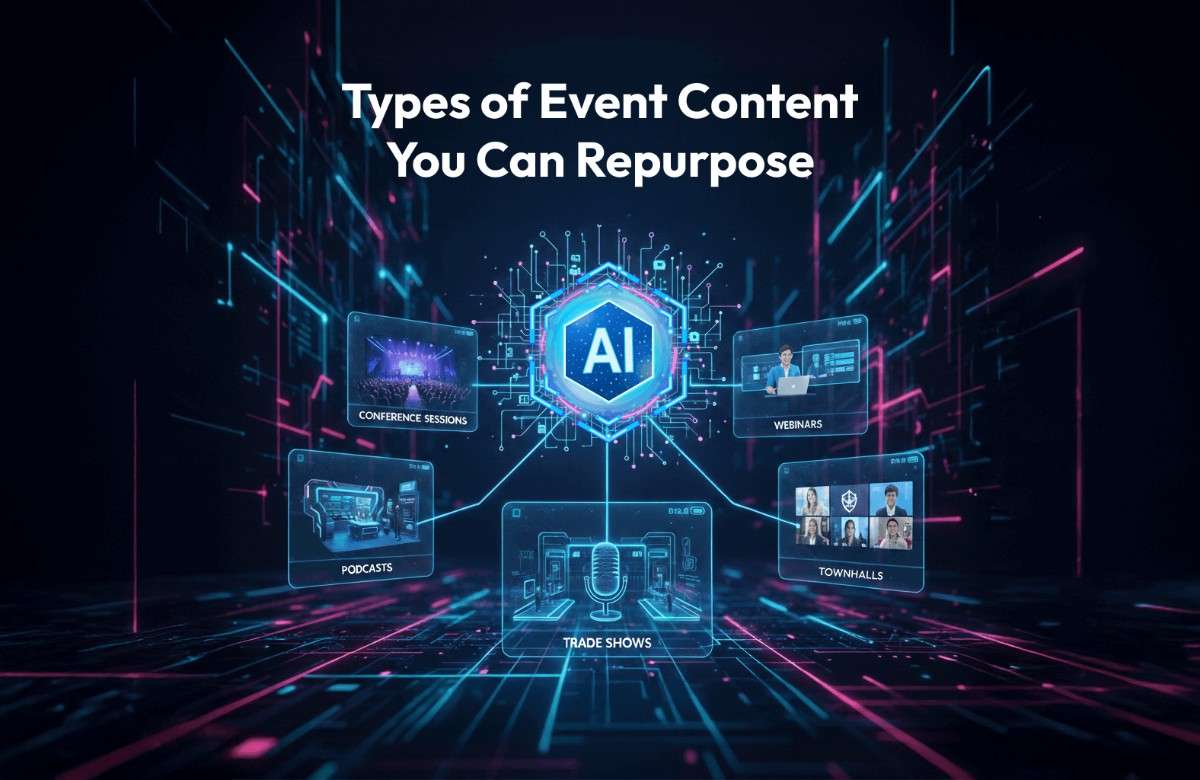
1. Conference Sessions
“Average meeting length reached 48 minutes, but engagement dropped sharply after the first 15 minutes, highlighting the need for shorter highlights.”
Keynote speeches and panel discussions often run long. By using AI video clipping tools, these sessions can be broken down into short clips that highlight the main ideas. The result is a set of event video highlights that are easier to share and consume.
These clips can be used to emphasize important themes, reinforce learning, and keep audiences engaged even after the event has ended.
2. Webinars
Webinars are full of useful insights, but usually last an hour or more. With AI, teams can repurpose webinar content into bite-sized lessons or highlight reels for training. This makes the material more practical and keeps audiences engaged. Repurposed clips can also support event content marketing, giving marketers ready-to-use material for campaigns and promotions.
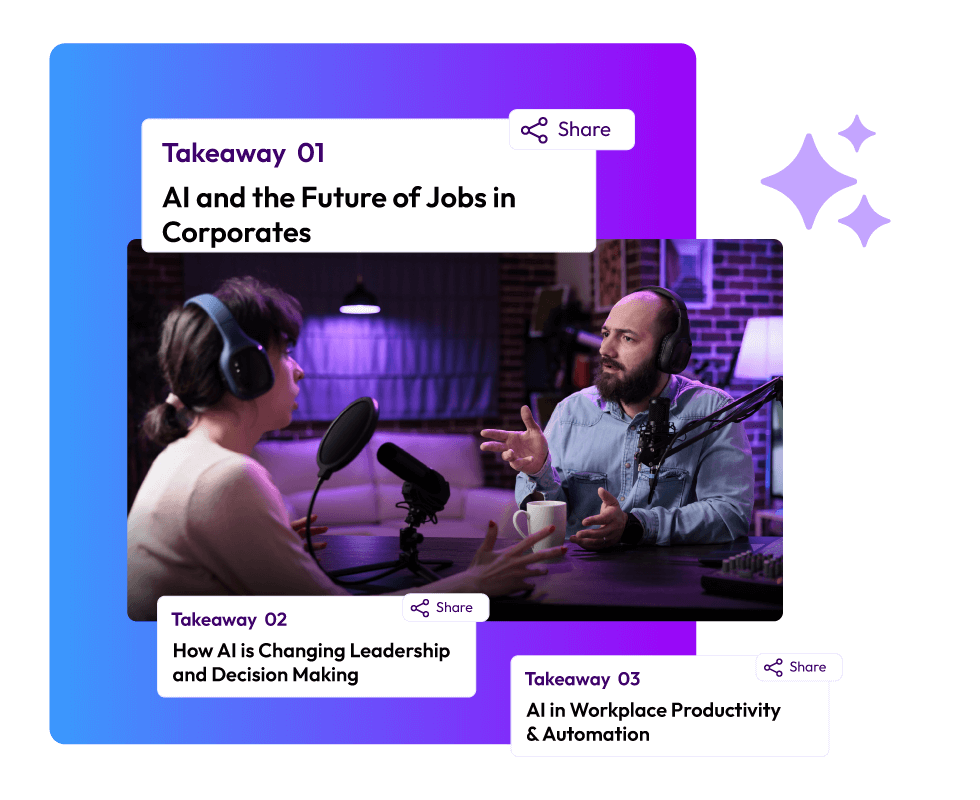
3. Podcasts
Podcasts can also be repurposed.
By extracting video snippets, organizations can turn event recordings into clips that attract new listeners on social platforms. Short previews encourage audiences to explore the full episode. These snippets can also serve as promotional tools, helping podcasts reach wider audiences and gain more visibility.
4. Trade Shows
Product demos and presentations at trade shows are perfect for repurposing. AI tools can create short clips that showcase features and benefits. These clips support event content marketing by giving teams ready-to-use promotional material. They can highlight product strengths, demonstrate functionality, and provide quick insights for potential customers.
5. Virtual Events
Virtual events often include multiple sessions and discussions. AI video summarization can convert these into highlight packages for internal use or external sharing. This ensures that the most important points are captured. Repurposed clips can also be used to maintain engagement with audiences who could not attend live.
6. Townhalls
Internal townhalls usually contain key announcements. Repurposing allows organizations to share these in short, clear clips with employees. It saves time and ensures that everyone receives the message. These clips can also be archived for future reference, making them valuable resources for internal communication.
According to the report, employees crave clarity, transparency, and recognition in townhalls, making video highlights essential for engagement.
How AI Video Summarization Works
AI video summarization is the process of condensing long recordings into short, meaningful clips that capture the essence of an event. Instead of requiring hours of manual review, AI systems use algorithms to detect important segments automatically. They scan speech patterns, visual cues, and even audience reactions to identify the moments that matter most.
The technology works by analyzing the flow of conversation, changes in tone, and visual transitions. When a speaker emphasizes a point, the system marks that section. If there is a lively Q&A, it identifies the start and end of questions. The outcome is a set of clips that represent the highlights, making it easier to turn event recordings into clips that audiences actually want to watch.
AI video summarization tools ensure that long sessions are not wasted but instead transformed into event video highlights that can be shared across platforms. For marketers, this is especially valuable. Summarization supports event content marketing by creating a steady stream of clips that can be used in campaigns, newsletters, or social posts.
In short, AI summarization ensures that every recording continues to deliver value. It condenses hours of footage into digestible pieces, keeping audiences engaged and making events useful long after they are over.
Step-by-Step Workflow of AI video clipping tools (From 2-Hour Recording to 20 Clips)
Repurposing a long recording into short clips may sound complex, but with AI video clipping tools, the process is smooth and structured. Each step adds value, ensuring that the final clips are accurate, engaging, and ready to share. Here is how the workflow unfolds:
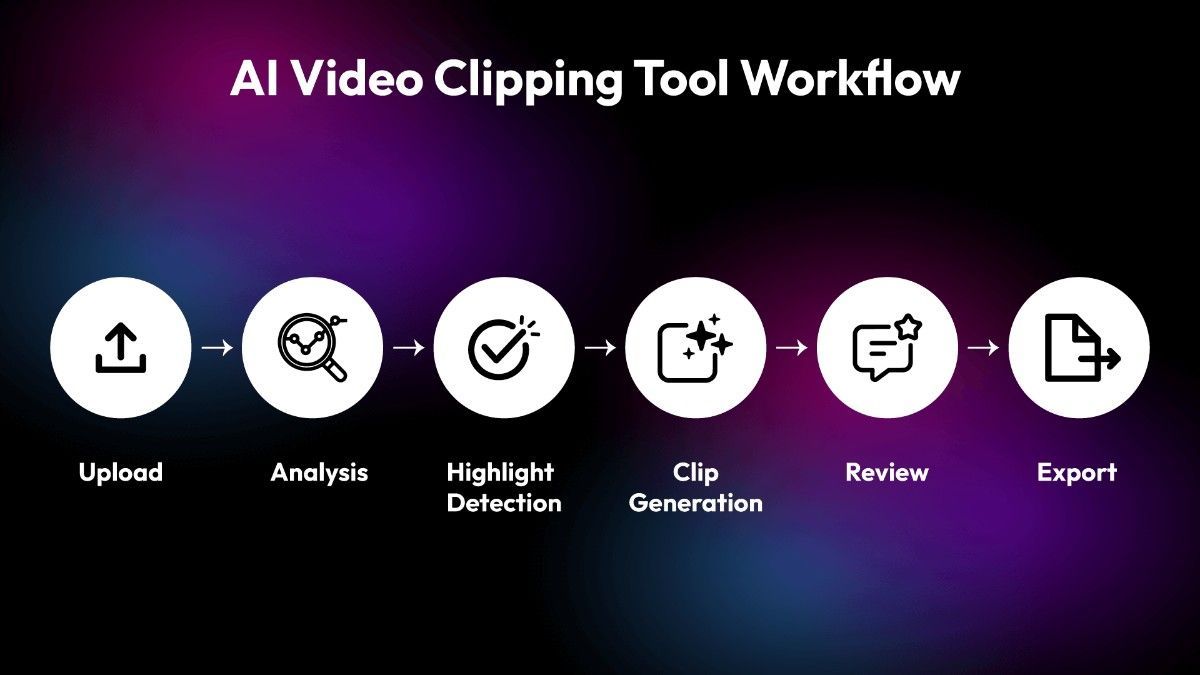
Step 1. Upload
The recording is uploaded into the system. This is the starting point where the raw material is prepared for AI video repurposing for events.
Step 2. Analysis
The tool scans the video carefully. It looks for speakers, topics, and transitions. This analysis is the foundation that allows the system to turn event recordings into clips that make sense.
Step 3. Highlight Detection
Key moments such as announcements, Q&A sessions, or topic shifts are marked. The system identifies emphasis in speech, visual cues, and audience reactions. This ensures that the most important parts are captured for event video highlights.
Step 4. Clip Generation
The system automatically creates short clips, usually 30–90 seconds long. These clips are concise, meaningful, and suitable for sharing. They can also be used to repurpose webinar content into lessons or training material.
Step 5. Review
Marketers or content teams check the clips for accuracy and context. This step ensures that the clips align with the goals of event content marketing and maintain quality.
Step 6. Export
Finally, the clips are exported. They can be shared on social media, added to newsletters, or used on internal platforms. With AI video summarization, the content is ready to engage audiences across multiple channels.
This workflow shows how a two-hour recording can be transformed into twenty clips that continue to deliver value. Instead of being forgotten, the event becomes a resource that supports marketing, learning, and engagement.
Pros and Cons of AI Video Repurposing for Event Marketers
Using AI video repurposing for events brings clear advantages, but it also comes with a few challenges. Marketers benefit from speed, reach, and consistency, yet they must also consider limitations before fully relying on automation.
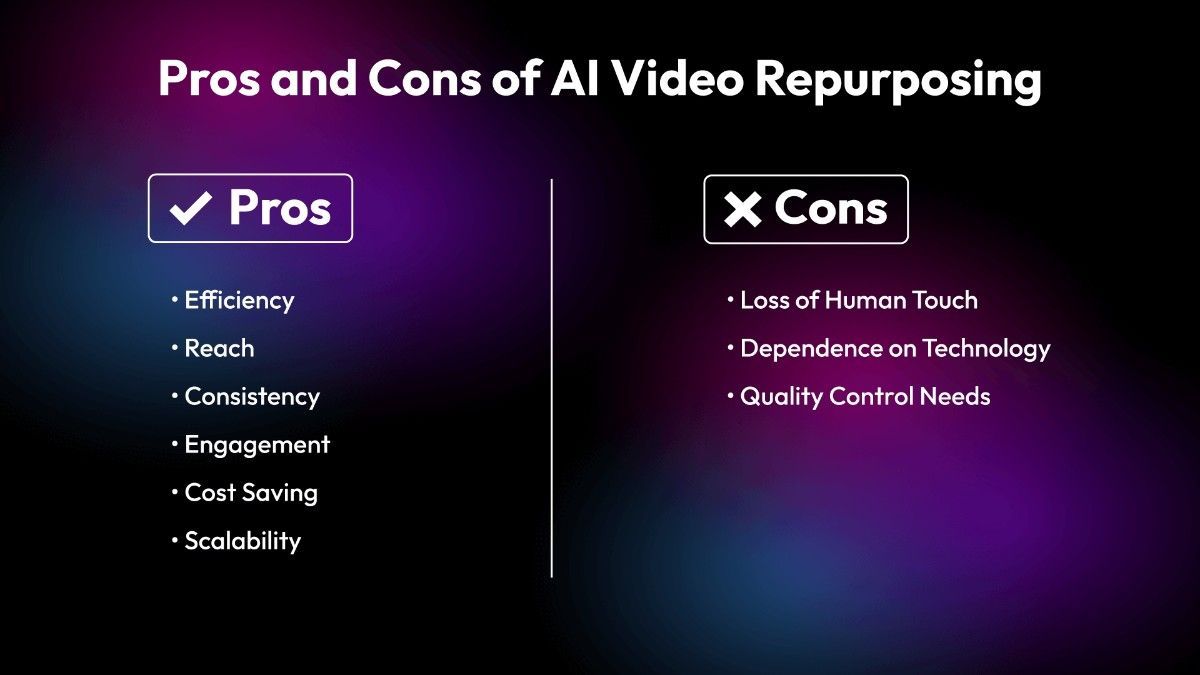
Pros
- Efficiency
Editing time is reduced from hours to minutes. With AI video clipping tools, teams can quickly turn event recordings into clips without spending days on manual work. This efficiency allows more focus on strategy and less on repetitive tasks. The Stanford AI Index Report 2025 noted that AI adoption in creative workflows, including video, reduced average production time by up to 40%, showing clear efficiency gains.
- Reach
Short clips perform better on social platforms. Event video highlights are easier to share, more likely to be watched, and help extend the reach of content far beyond the original audience. According to Insivia’s 2025 Video Marketing Statistics, short-form clips under two minutes had significantly higher engagement, with 90% of marketers reporting positive ROI from video content
- Consistency
Every event produces reusable content. AI video summarization ensures that highlights are captured in a uniform way, making the output reliable across multiple recordings.
- Engagement
A Metricool study on short-form video in 2025 found that clips under two minutes had completion rates nearly 60% higher than longer recordings, confirming audience preference for highlights.
Audiences prefer highlights over full recordings. Repurposed clips keep viewers interested and make it easier for them to revisit key points. This supports event content marketing by providing engaging material that fits audience habits.
- Cost Saving
Less need for manual editing teams means lower production costs. AI reduces labor expenses while still delivering professional-quality clips.
- Scalability
Multiple events can be repurposed quickly. Teams can repurpose webinar content, conference sessions, or townhalls into clips without being slowed down by long editing cycles.
Cons
- Loss of Human Touch
AI may miss subtle context or emotional nuance that a human editor would notice. This can affect how certain clips feel to the audience.
- Dependence on Technology
If the system fails or misidentifies highlights, important content could be overlooked. Relying fully on automation carries some risk.
- Quality Control Needs
Even with automation, marketers must review clips for accuracy and relevance. Without this step, the output may not align with campaign goals or audience expectations.
Common Mistakes to Avoid for Repurposing Event Video
Repurposing event recordings with AI video clipping tools can be highly effective, but mistakes often reduce the impact. Avoiding these errors ensures that AI video repurposing for events delivers consistent value and supports event content marketing in the right way.
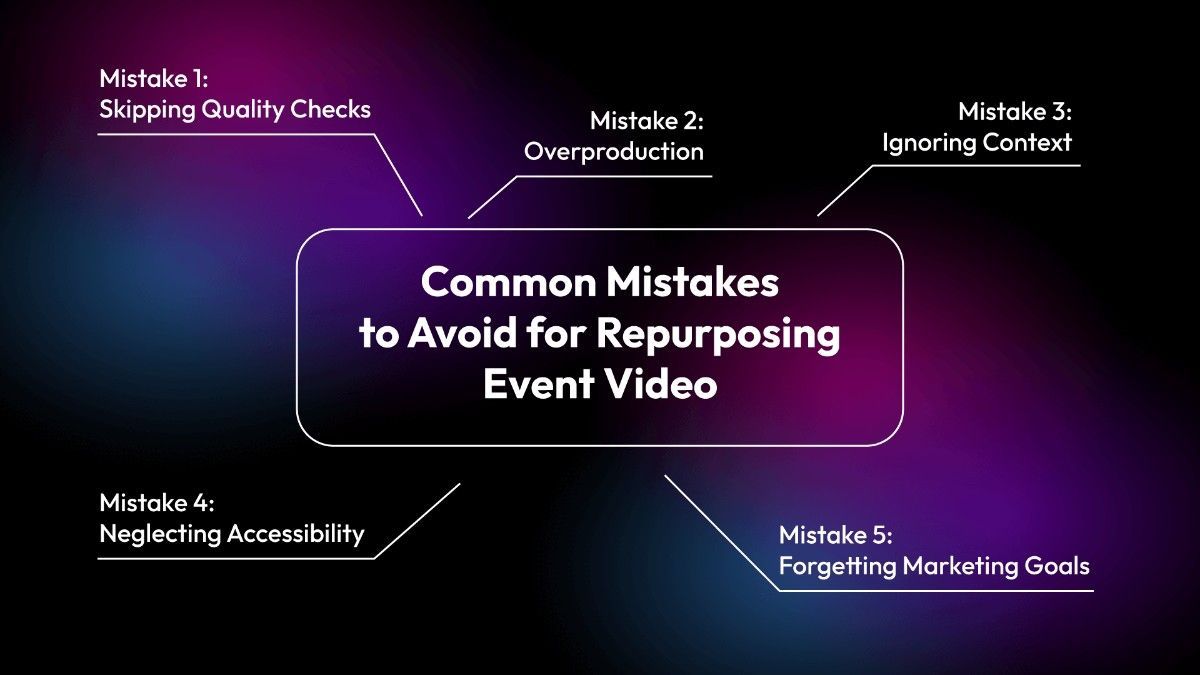
Mistake 1: Skipping Quality Checks
AI is powerful but not perfect.
Always review clips before publishing. Even with AI video summarization, some segments may lack context or feel incomplete. A quick human check ensures that the clips align with campaign goals and maintain accuracy. Without this step, audiences may lose trust in the content, and the highlights may fail to represent the event properly.
Mistake 2: Overproduction
Too many clips can overwhelm audiences. Focus on key highlights that matter most. When teams turn event recordings into clips, they should prioritize clarity over quantity. A smaller set of strong event video highlights performs better than dozens of clips that dilute attention. Overproduction also risks confusing viewers, making them less likely to engage with the material.
Mistake 3: Ignoring Context
Clips should make sense even when viewed alone. If a highlight feels confusing without the full recording, it loses impact. Repurposed content must stand independently, whether it is used to repurpose webinar content or conference sessions. Context ensures that audiences understand the message instantly, and it helps clips remain useful across different platforms.
Mistake 4: Neglecting Accessibility
Accessibility is often overlooked. Adding captions and descriptions makes clips usable for wider audiences. This step not only improves inclusivity but also boosts engagement on platforms where sound is off by default. Accessibility should be part of every repurposing workflow, ensuring that event video highlights reach the widest possible audience. According to the research, only 28% of online videos have accurate captions, despite captions being proven to increase engagement and reach
Mistake 5: Forgetting Marketing Goals
93% of marketers reported positive ROI from video content, but only when clips were aligned with clear marketing goals.
Clips should align with campaign objectives. Repurposing is not just about cutting videos; it is about supporting event content marketing strategies. Each clip should serve a purpose, whether it is brand awareness, lead generation, or internal communication. Without alignment, even well-produced clips may fail to deliver measurable results.
How to Choose the Best Ai Video Summarization Tool for your Event
When you are selecting an AI video summarization tool, the focus should be on features that make your work easier and your content stronger. Below are expanded points that highlight what to look for before making a choice.
1. Strong Event Video Highlights
The tool should be able to identify the most important parts of your recordings and present them as clear event video highlights. This means the clips must feel natural, carry meaning, and reflect the essence of the session. A tool that captures highlights well will help you share content that feels polished and keeps your audience interested.
2. Reliable AI Video Repurposing For Events
AI video repurposing for events is about breaking down long recordings into smaller clips that can be reused across different platforms. A good tool should allow you to turn event recordings into clips quickly, without losing clarity. This makes it easier to keep your content fresh and relevant while saving time on editing.
3. Essential Features Before Choosing
The essential features to look for include:
- Session summaries: Crisp summaries that make long recordings easy to consume.
- Content hub: A searchable library of clips, summaries, and visuals for quick access.
- AI clips detection: Automatic identification of short, ready-to-post clips that drive engagement.
- Publishing control: Options to approve, publish, or remove clips before sharing.
- One-click export: Ability to export clips for platforms like Instagram, LinkedIn, or YouTube.
- Moments extraction: Capture audience reactions, gestures, and stage highlights for social posts.
- Built-in analytics: Real-time insights on views, engagement, and performance.
4. Easy-To-Use AI Video Clipping Tools
AI video clipping tools should not feel complicated.
A clean interface with simple controls makes the process smoother. At the same time, the tool should give you enough flexibility to refine clips so they match your tone and style. Ease of use combined with smart automation will save time and reduce effort.
5. Alignment With Event Content Marketing Goals
Think about how the tool supports your event content marketing strategy. If your aim is wide distribution, then export formats and platform compatibility become important. If your focus is on building a library of clips, then precision in summarization is key. The tool must align with your long-term goals.
6. Balance Between Speed And Quality
The tool must save time without cutting away meaning. Fast processing is helpful, but clarity and flow of the video should remain intact. In simple words, a tool that balances speed with quality will fit better into your workflow and reduce extra editing effort.
7. Flexibility In Clip Customization
Look for a tool that allows you to adjust clip length, pacing, and tone. This flexibility ensures that your clips can be shaped for different platforms and audiences. Repurpose webinar content or event recordings in a way that feels natural and professional.
8. Branding Option
A valuable feature to look for is the ability to add branding options, such as a watermark. This ensures that every clip you share carries your identity and strengthens your event content marketing. Watermarks protect your content from misuse and also help in building brand recognition across platforms.
9. Consistency In Summarization
A good AI video summarization tool should provide consistent results. If the clips vary too much in quality or relevance, you will spend extra time fixing them. Consistency ensures that your event content marketing stays strong and reliable.
10. 24x7 Support Availability
Do not overlook the importance of support. A tool that offers 24x7 support ensures that you can resolve issues quickly whenever they arise. This is especially useful when working with AI video clipping tools for urgent projects or when repurposing webinar content under tight deadlines. Reliable support adds confidence and stability to your workflow

Final Words:-
AI video repurposing for events has become a vital part of event content marketing. It gives organizations the ability to repurpose event content, create event video highlights, and use AI video summarization to make recordings more practical. Long sessions no longer sit unused. Instead, AI video clipping tools help turn event recordings into clips that are easy to share and consume.
This approach keeps the value of events alive even after they end. A single recording can be reshaped into many forms, each serving a different purpose. Short clips can highlight key ideas, while summaries provide quick insights. Event video highlights capture the energy of the moment, and repurposed webinar content extends the reach of knowledge.
The result is simple but powerful. Hours of footage transform into useful pieces that continue to support event content marketing. AI video repurposing for events ensures that every recording has a second life, and audiences keep finding value long after the event is over.
FAQs
Q1: What is AI video repurposing for events?
It is the process of using AI tools to transform long event recordings into short clips, highlights, or summaries.
Q2: Why should I repurpose event content?
Repurposing helps extend the life of your event, reach wider audiences, and support marketing campaigns.
Q3: How does AI video summarization work?
AI scans the video, detects important segments, and condenses them into short clips or summaries.
Q4: Can I repurpose webinar content with AI?
Yes, webinars are one of the most common types of content repurposed using AI tools.
Q5: What are the benefits of AI video clipping tools?
They save time, reduce costs, and create engaging content quickly.
Q6: How many clips can be created from a single recording?
A two-hour recording can easily be turned into 15–20 clips, depending on the content.
Q7: Do AI tools replace human editors?
No, they assist editors by automating repetitive tasks. Final review is still important.
Q8: Can AI repurposing be used for internal events?
Yes, townhalls and internal meetings can be repurposed into clips for employees.
Q9: Is AI repurposing expensive?
Costs vary, but it is generally cheaper than manual editing.
Q10: How does repurposing support event content marketing?
It provides a steady stream of clips that can be used in campaigns, newsletters, and social media.
 Mohi • February 17, 2026 • 6:59