 Arun
Arun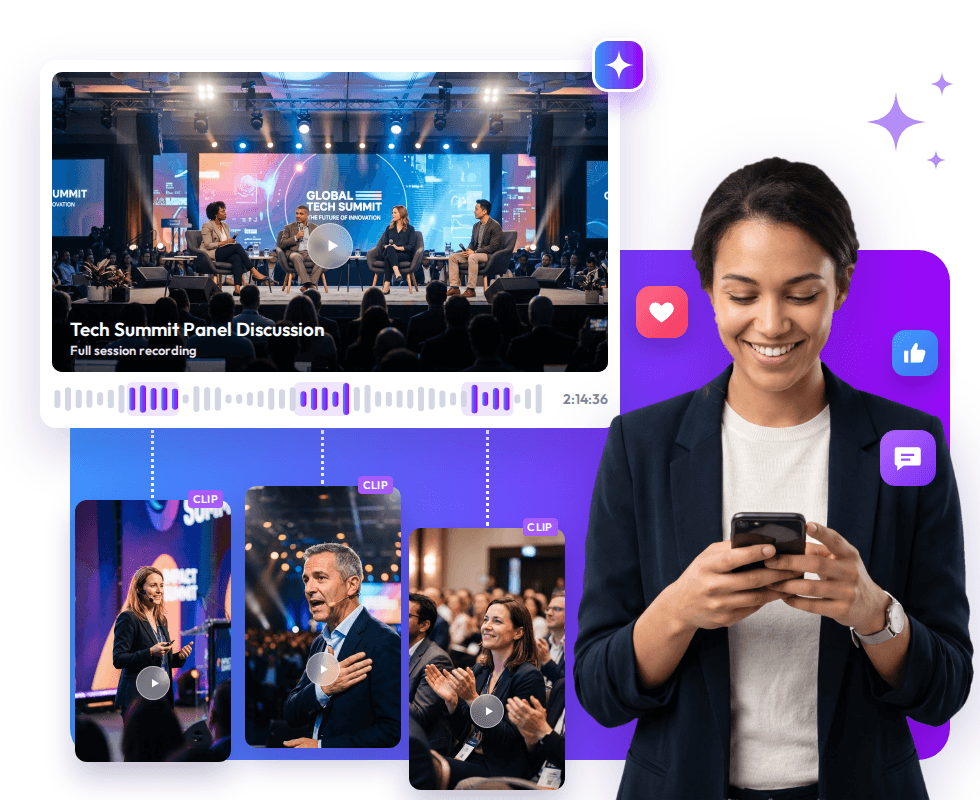
TL;DR
Event recordings can contain keynote insights, panel discussions, speaker interviews, product demonstrations, and attendee reactions. Yet much of this footage goes unused because reviewing long recordings, finding worthwhile moments, editing clips, and preparing different formats takes time.
Video content repurposing helps solve this problem. AI can analyse existing event footage, identify useful moments, turn them into event video clips, and help adapt those clips for social media, email, websites, and future event promotion.
Introduction
An event may last a few hours or several days, but its video content can remain useful long after the event ends.
A single conference recording might contain a strong speaker quote, a useful panel answer, a product demonstration, or an attendee reaction worth sharing. The problem is that these moments are often buried inside hours of footage.
For content teams, the challenge is not necessarily creating more video. It is getting more value from the video they have already recorded. This is also part of a broader event content repurposing strategy, where recorded sessions and highlights can continue supporting content efforts after the event. Learn how to repurpose event content into short videos, summaries, and moments.
Manually reviewing every session, locating useful sections, trimming clips, adding captions, changing formats, and preparing content for different channels can quickly become a time-consuming post-event task.
AI can reduce that workload by helping teams find and prepare useful sections faster. Instead of treating a recording as one finished video, organizers can use it as a source for multiple pieces of focused content.
Why Event Videos Go Unused and How to Repurpose Them With AI
The problem usually comes down to three connected issues: too much footage to process, too many content formats to create, and too little time after the event.
Long recordings make valuable moments hard to find
A one-hour keynote can contain several worthwhile moments, but finding them manually may require watching most of the recording. When an event has dozens of sessions, panels, interviews, and presentations, the workload increases quickly.
The result is that useful conference video clips remain buried inside the original recordings simply because nobody has enough time to locate and edit them.
One recording does not fit every channel
A full conference session may work on an event website or video library, but the same recording is unlikely to be suitable as-is for every channel.
A content team may need:
- Short vertical videos for social media
- Captioned clips for silent viewing
- Speaker quotes for promotional posts
- Short session highlights for email
- Longer excerpts for websites
- Topic-focused clips for post-event content
Creating each version manually adds more editing work.
Post-event priorities push video aside
Video repurposing usually happens after the event, when teams are also managing attendee follow-ups, lead data, surveys, reporting, future-event planning, and other marketing tasks.
Without a practical process for reviewing and reusing recordings, video can keep getting postponed until the footage is no longer part of the active marketing cycle.
How AI Can Repurpose One Event Recording Into Multiple Content Assets
The value of AI is not simply that it can make shorter videos. Its bigger advantage is helping teams move from long, difficult-to-search recordings to focused content assets more efficiently. For organisations using generative AI, it is also important to consider how AI outputs are evaluated and managed. The NIST Generative AI Profile provides guidance for organisations on identifying and managing risks associated with generative AI.
The process can be viewed like this:
| What makes event video difficult | How AI can help | Possible content output |
| Hours of recordings are difficult to review | Analyze transcripts and identify relevant sections | Key moments and event video clips |
| Strong insights are buried in sessions | Find sections around specific topics or keywords | Speaker quotes and session highlights |
| Long videos do not suit social platforms | Create shorter, platform-ready versions | Social media video clips |
| Different sessions contain different useful moments | Group clips by topic, speaker, or session | Conference video clips |
| One recording has multiple potential uses | Create variations from the same source footage | Social, email, website, and promotional content |
Find the strongest moments
AI can analyse transcripts and help identify sections based on topics, keywords, or spoken content.
For example, a recorded panel about event technology could contain separate moments about attendee engagement, networking, customer experience, or emerging technology.
Instead of watching the entire recording to locate each topic, an editor can start with relevant sections and then decide which moments are worth turning into content.
This is where organisers can generate event highlights using AI without treating the resulting clips as automatically publishable. Teams can review and refine the selected moments before using them in their wider content strategy.
For a practical look at AI-assisted event clipping, see How to Take Clips from Event Videos the Fast Way Using AI.
Create short event video clips
Once worthwhile moments have been identified, they can be trimmed into focused clips.
A 60-minute presentation, for example, may contain several short sections that can stand alone. A useful speaker insight, audience question, product explanation, or panel takeaway can become an event video clip with one clear message.
The purpose is not simply to make a video shorter. It is to make a specific part of the original recording easier to consume and reuse.
Adapt clips for different channels
The same source footage may need different treatments depending on where it will be published. AI-assisted tools can help create social media video clips, generate captions, identify suitable sections, and adapt content into different formats.
This means the team does not need to recreate the content from scratch for every channel. The original recording remains the source, while the output changes according to its intended use.
For more on using AI to turn event recordings into social-ready content, see Boost Event Marketing with AI-Powered Post-Event Video Content on Social Media.
Turn conference recordings into topic-focused content
Large conferences can produce hours of footage across keynotes, panels, workshops, interviews, and demonstrations.
Instead of publishing everything chronologically, organisers can turn the recordings into topic-focused conference video clips.
For example, event teams can organise clips around:
- Keynote insights
- Panel takeaways
- Product demonstrations
- Audience questions
- Industry trends
- Speaker interviews
This gives the content a clearer purpose and makes relevant footage easier to reuse later.
Where Event Teams Can Use Repurposed Videos
Creating clips is only useful when those clips have a clear role in the wider content strategy.
Social media
Short clips can keep conversations going after the event and bring attention back to useful sessions.
A concise clip can communicate one idea without asking viewers to watch an entire keynote or panel. Multiple clips can also support a post-event publishing schedule and maintain event video engagement after the event dates.
For example, event teams can use AI-powered event highlights to create short-form social media content.See Why AI-Powered Event Highlights for Instagram Drive More Engagement for a closer look at this use case.
Email follow-ups
Event footage can add value to post-event communication.
Instead of sending only a standard thank-you email, organisers can include a relevant session highlight, speaker clip, or short takeaway based on what attendees experienced.
For example, a follow-up email about an event technology session could include a short clip from that session rather than directing recipients to an entire one-hour recording.
Event websites
Long-form recordings can remain available as a knowledge resource, while shorter clips can help visitors quickly understand what a session covered.
This creates two levels of content: the complete session for people who want depth and short clips for people who want a quick takeaway.
Future event promotion
Event footage can continue working beyond the immediate post-event period.
A strong speaker moment, audience reaction, or session highlight can demonstrate what future attendees can expect from an organiser’s events.
This gives previously recorded footage a second role: content from the past can become promotional material for future events.
Make Every Event Recording More Valuable
Event recordings often contain valuable moments that can continue to engage audiences long after an event ends. The challenge is finding those moments and turning them into content that fits different channels and audiences.
With video content repurposing, organisers can use AI to identify useful sections, create focused event video clips, and adapt existing footage into social media clips, conference highlights, email content, and other reusable assets. This makes it possible to extend the value of a single recording instead of treating it as content that is useful only during or immediately after the event.
The goal is not to create more videos simply for the sake of volume. It is to make the footage already captured more useful, relevant, and easier to share while giving each piece of content a clear purpose.
Event teams can easily find and repurpose valuable moments to extend their content’s lifespan and get more value from the effort they put into recording the event.
Frequently Asked Questions
What is event video content repurposing?
Event video content repurposing is the process of turning existing event recordings into shorter, focused content such as event video clips, speaker highlights, social media videos, and session excerpts.
How can AI help repurpose event videos?
AI can help analyse recordings, identify relevant moments, create shorter clips, generate captions, and adapt video content for different channels, reducing the manual work involved in repurposing event footage.
What types of event videos can be repurposed?
Event teams can repurpose keynotes, panel discussions, speaker interviews, product demonstrations, workshops, audience questions, and other recorded sessions into focused video content.
Where can repurposed event video clips be used?
Event teams can share repurposed clips on social media, in email follow-ups, on event websites, and through post-event campaigns and future event promotions, depending on each clip’s purpose and target audience.

 Raghav • February 6, 2026 • 8 min read